
Excel February 2026 Updates
Agent Mode Expands to More Users
Agent Mode is now available to more users and platforms.
This does not introduce a new concept. It simply increases access to AI-assisted interaction inside Excel
The practical implication is that more professionals can use natural language to explore data, build summaries, or ask analytical questions.
However, this feature does not replace structured thinking. If your workbook is poorly organized, AI interaction will not fix it. Clean data design still matters.
The update is about access, not capability expansion.
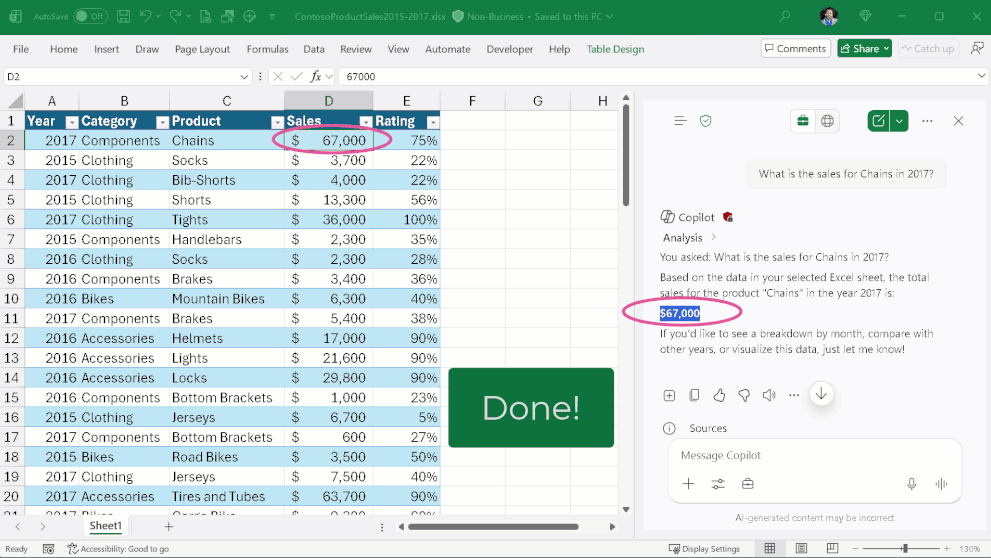
Query Local Workbooks Using Copilot Chat
Excel now allows querying locally stored workbooks through Microsoft 365 Copilot Chat on Windows and Mac.
This expands AI interaction beyond cloud-based files.
For teams that maintain structured financial or operational models locally, this reduces friction when searching for insights across large sheets.
The limitation remains the same. The AI can assist with interpretation, but it still depends on how well your workbook is built.
This is a convenience improvement, not a structural shift.
Power BI February 2026 Updates
Increased Copilot Prompt Length
Power BI increased the character limit for Copilot prompts.
This matters only if you use Copilot regularly. Longer prompts allow more context when describing calculations or constraints.
For simple reports, this change will not feel dramatic. For complex semantic models, it allows slightly more detailed instructions.
It improves flexibility, not intelligence.
Input Slicer and Paste into Slicer
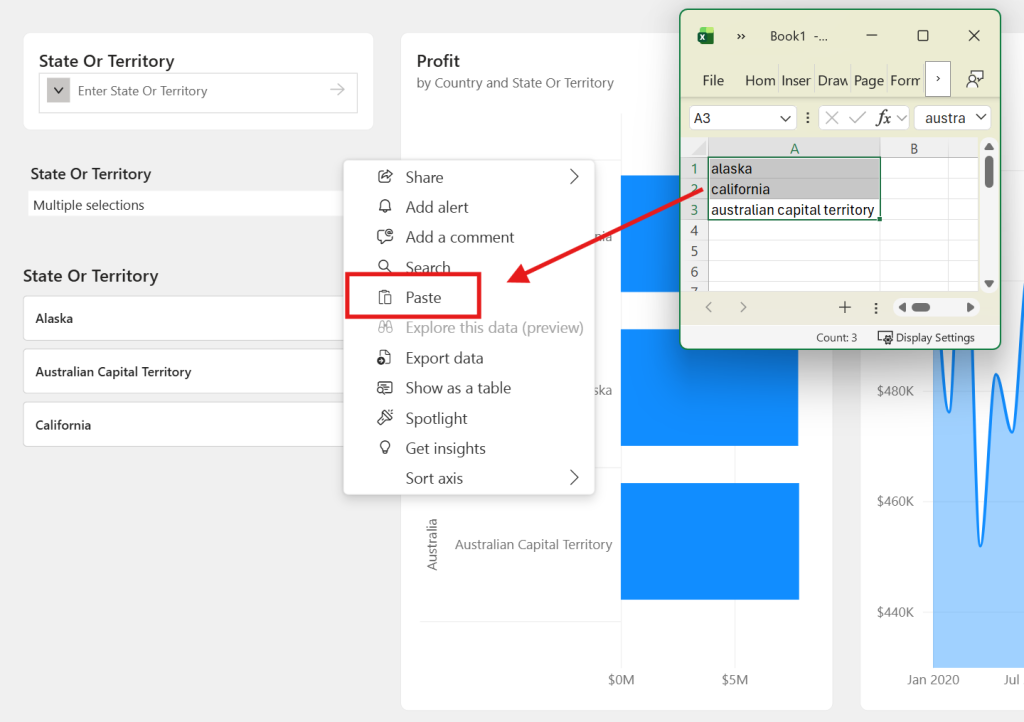
The Input Slicer is now generally available, and users can paste multiple values directly into slicers..
This is one of the more practical updates.
In large datasets, scrolling through long lists is inefficient. Typing or pasting values speeds up filtering.
For operational dashboards where quick filtering is common, this reduces interaction time.
This update improves usability more than modeling capability.
Card Visual Enhancements
Card visual updates improve layout control.
This helps refine the KPI presentation, especially in executive dashboards.
It does not change how calculations work. It only affects how they are displayed.
The value depends on how much emphasis you place on visual polish.
Improved Error Dialogs
Error dialogs in Power BI Desktop now provide clearer explanations.
This is useful for developers working with complex transformations or relationships.
Clearer error messaging reduces debugging time.
This is a quiet but practical improvement.
Persistent Filters in Organizational Apps
Organizational apps now support persistent report filters in preview.
This helps maintain context across sessions.
For enterprise reporting environments, this makes repeated usage smoother.
It improves continuity rather than analytical power.
Deprecation of Legacy Import Experience
The legacy Excel and CSV import experience in Power BI Service is being deprecated.
This is less about innovation and more about modernization.
Teams relying on older workflows should transition early to avoid disruption.
What These Updates Actually Signal
February 2026 does not introduce groundbreaking modeling features.
Instead, the updates focus on:
- Better interaction
- Slightly improved usability
- Cleaner troubleshooting
- More conversational access
These are refinements, not revolutions.
- Structuring data properly
- Building clear models
- Designing readable dashboards
Tools are evolving gradually. Fundamentals still drive quality.
Conclusion
The February 2026 updates in Excel and Power BI focus on reducing friction in everyday workflows rather than redefining how analytics works.
For professionals who rely on these tools daily, small usability improvements can compound over time.
If you want to stay informed about practical updates without the noise of feature hype, subscribing to the newsletter may help you focus on what actually impacts real reporting work.