Why these Excel updates matter now
These updates are not about learning new buttons. They are about reducing friction in daily Excel work. Whether it is working with data, fixing errors, or sharing outputs, the changes aim to make common tasks faster and less frustrating.
The broader direction is clear. Excel is steadily becoming easier to use for real work without changing how people already think about spreadsheets.
Agent Mode in Excel is now available on desktop
Agent Mode is no longer limited to Excel on the web. It is now generally available on the desktop version as well.
This matters because many Excel users work with large files, local data sources, or complex models that live on their machines. With desktop availability, Agent Mode can assist users directly in their existing setup rather than forcing a shift to browser-based work.
Agent Mode does not automate Excel by itself. Instead, it provides guidance, suggestions, and next step support inside Excel. The value here is not automation hype, but contextual help that fits naturally into how Excel is already used.
Full Power Query experience is now available in Excel for the web
One of the most meaningful January 2026 updates is the availability of the full Power Query experience in Excel for the web.
Earlier, advanced data cleaning and transformation usually required the Excel desktop. Now, users working in the browser can perform the same transformations without switching tools.
In practice, this means:
- Data can be cleaned and shaped directly in shared online files
- Teams can collaborate on data preparation more easily
- Browser-based workflows become more complete and dependable
For organizations that rely on Excel online, this removes a long-standing limitation.
New import functions simplify bringing data into Excel
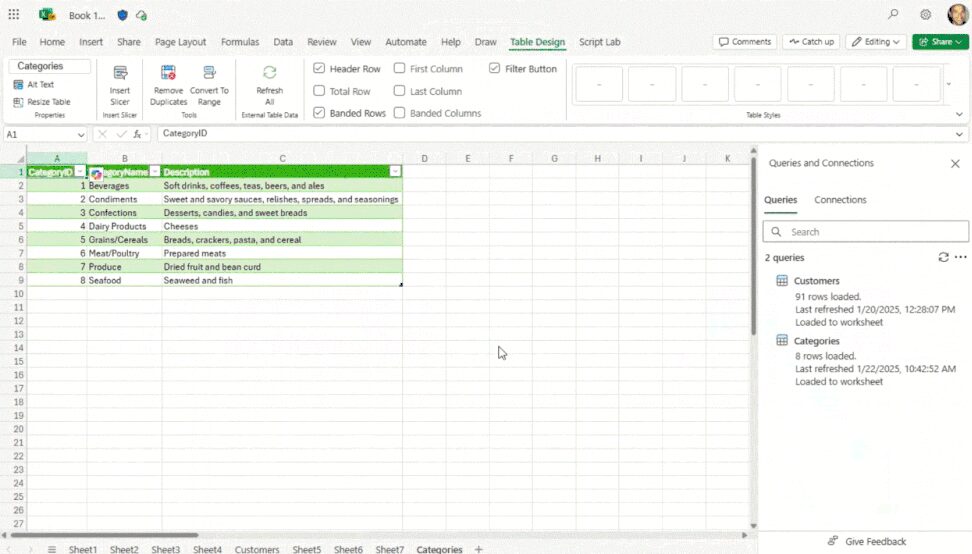
Excel now includes new import functions designed specifically for bringing data into workbooks.
These functions simplify how external data is pulled into Excel and make the process more consistent. Instead of relying heavily on manual copy-paste or multi-step setups, data can be imported in a more structured way.
The practical benefit is stability. When data is imported using dedicated functions, it is easier to refresh, validate, and reuse without breaking formulas or reports built on top of it.

Descriptive error cards make fixing mistakes easier
Errors are part of working in Excel, but understanding them has often been harder than necessary. January 2026 introduces descriptive error cards in Excel for Windows.
Instead of short or unclear error messages, Excel now explains what went wrong in clearer language and points toward possible fixes. This reduces trial and error and saves time, especially when working with formulas, references, or connected data.
For anyone who regularly debugs spreadsheets, this update directly improves the experience.
Automating PDF creation and sharing with Office Scripts
Excel now includes new import functions designed specifically for bringing data into workbooks.
This is particularly useful for recurring tasks such as monthly reports or standard exports. Instead of manually saving files and attaching them to emails, these steps can be automated and repeated consistently.
While this does not turn Excel into a full automation platform, it does reduce repetitive manual work and brings simple automation closer to everyday Excel usage.
What these updates collectively show about Excel’s direction
Taken together, the January 2026 updates point to a consistent theme.
Excel is focusing on:
-Smoother everyday workflows
- Better access to data preparation tools
- Clearer guidance when things go wrong
-Lightweight automation for repetitive tasks
These changes may not feel dramatic individually, but they make Excel more reliable and easier to use at scale.
Conclusion
The January 2026 Excel updates focus less on big announcements and more on practical improvements. From better data handling to clearer error messages and easier sharing, the emphasis is on reducing effort in daily work.
And if you want to keep learning about Excel, reporting, and real-world data workflows, subscribing to the newsletter is the best way to stay updated with what actually matters.