Introduction
This month’s AI updates are not just new features. A few of them directly reduce this kind of friction. They change how you create visuals, handle large work, automate office tasks, and think about workflows.
Instead of focusing on model performance, these updates focus on execution:
- Creating charts without opening Excel
- Handling large reports without splitting work
- Running tasks inside office tools
- Moving toward multi step AI workflows
This blog breaks down what actually matters and how it fits into real work.
Claude Can Now Create Charts and Diagrams Inside Chat
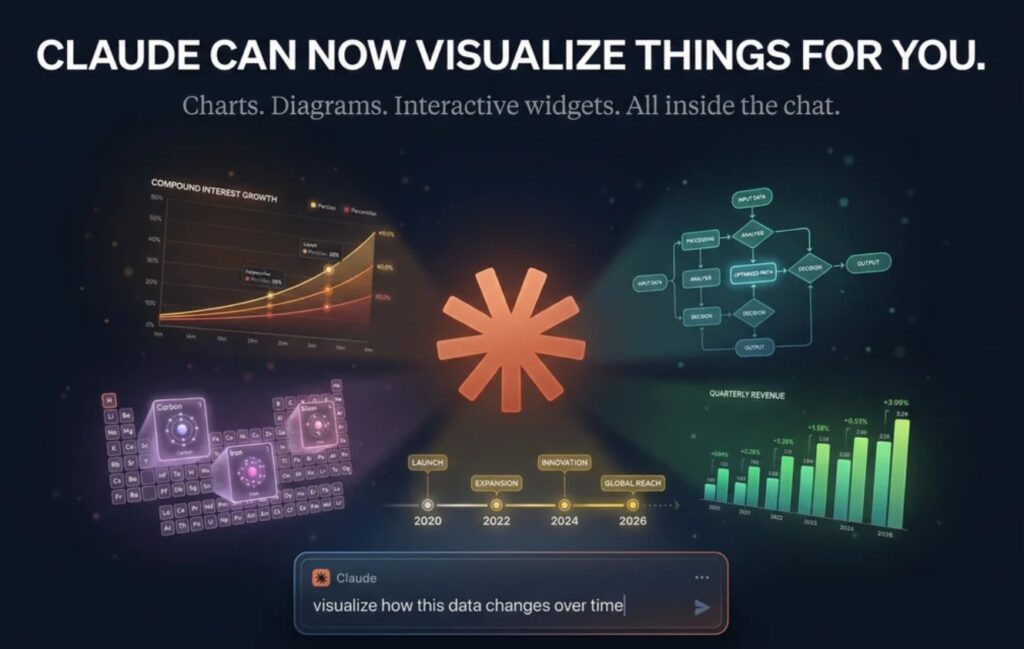
Claude can now generate charts and diagrams directly inside chat.
This means you can take raw data and quickly turn it into a visual without opening Excel first.
This is useful for:
-Quick analysis
-Testing ideas
-Sharing early insights
You still need Excel or Power BI for final dashboards and detailed work. But for first drafts, this saves time.
Claude Can Help You Build Presentation Slides
Claude can also help structure and draft presentation slides.
Instead of starting from a blank PowerPoint, you can generate an outline, convert it into slides, and refine it step by step.

Microsoft and Anthropic Are Moving AI Into Office Work
Microsoft is integrating deeper AI workflows into tools like Word, Excel, and PowerPoint.
This means AI is moving from helping with tasks to actually doing parts of the work.
For example:
- Creating documents
- Automating repetitive steps
- Handling parts of reporting workflows
This makes AI more useful inside the tools you already use, instead of switching between multiple apps.
Claude 1 Million Context Helps With Large Work
Claude can now handle much larger inputs.
This is useful when you work with:
- Long reports
- Multiple documents
- Large datasets
Instead of breaking work into smaller parts, you can process more in one go.
But better results still depend on clear instructions.
Claude Code Shows the Next Step of AI Workflows
Claude Code introduces multiple AI agents working together on tasks like code review.
This shows where AI is heading.
Not one response.
Not one model.
More consistent outputs.
But multiple systems working together.
This idea can later apply to:
- Data workflows
- Reporting
- Automation systems
Perplexity Is Moving Toward AI as a Work Interface
Perplexity is trying to turn AI into a system that interacts with files and tools directly.
Instead of switching between apps, you interact with AI and it handles the steps.
This is still early, but it shows a direction where AI becomes the layer through which work happens.
What This Means for Working Professionals
These updates point to one clear shift. AI is moving from answering to doing.
In practical terms:
- Use Claude to create quick charts before moving to Excel or Power BI.
- Use Claude to draft presentation structure instead of starting from scratch.
- Use large context models when working with long reports or multiple files.
- Watch multi agent systems because future workflows will not rely on a single AI response.
The advantage is not in using more tools.
It is in using the right workflow for the task.
Conclusion
Most AI updates do not affect daily work. These do.
They reduce tool switching, improve early stage output, and introduce new ways of structuring workflows.
The bigger change is not any single feature. It is the shift from tool based work to workflow based execution.
If you found this breakdown useful, subscribe to our newsletter for practical insights on using AI in real workflows, not just feature updates.