
Introduction
Microsoft released four Excel updates in March 2026, two around Copilot, one around automation, and one for web users. Here is what was announced and what it means in practice.
Copilot Now Pulls Your Work Context Automatically
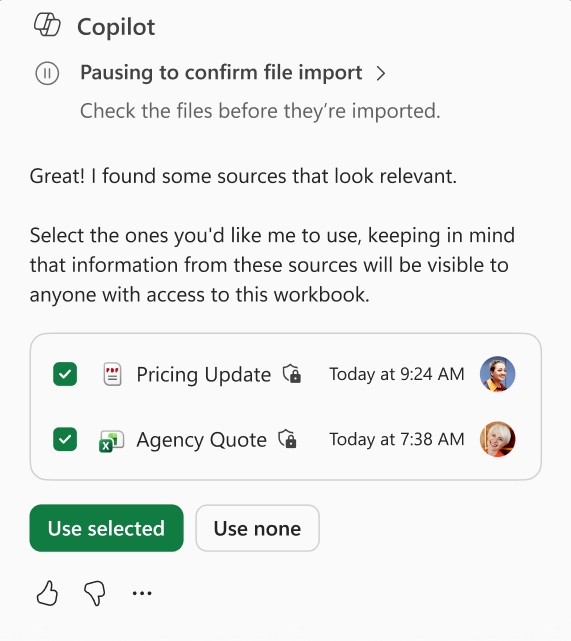
Until now, getting useful Copilot suggestions in Excel required manually pasting in context - relevant emails, meeting notes, or files into your prompt. Microsoft has introduced Work IQ to address this.
Work IQ automatically pulls the most relevant context from emails, meetings, chats, and files, allowing Copilot to make more accurate, multi-step edits without any manual referencing. According to Microsoft, this is particularly useful when spreadsheet work is tied to ongoing projects or conversations.
Requires a Microsoft 365 Copilot license. Rolled out in March 2026.
Claude Opus 4.6 Is Now Available Inside Excel
Microsoft has added Claude Opus 4.6 as an option in Excel's Copilot model selector. Users can now choose which AI model powers their Copilot experience directly inside Excel.
Microsoft has not published any performance comparisons between models for Excel-specific tasks. This is a new availability - not a recommendation of one model over another.
Requires M365 Premium or enterprise M365 Copilot license.
Office Scripts: Redesigned UI and AI-Assisted Script Writing
Office Scripts is Microsoft's built-in automation tool for Excel. It lets users automate repetitive tasks either by recording actions no coding needed or by writing TypeScript for more advanced workflows. Scripts can be replayed anytime, shared across an organisation, and connected to Power Automate.
Microsoft has released a UI redesign this month that makes finding, creating, managing, and sharing scripts simpler. Also now available in preview: AI-assisted script drafting. Users can describe what they want to automate, generate a starter script using AI, and then review and modify it by making automation more accessible for those without scripting experience.
Finding Excel Files on the Web Is Now Faster
Microsoft has rolled out a search feature on the Excel for the web homepage. Users can now type a filename in the Search bar, and matching files appear in a dropdown as they type, rather than scrolling through the homepage manually.
The feature also works on Word for the web and PowerPoint for the web. Microsoft notes that if no suggestions appear on first use, opening any existing file and refreshing the page should resolve it.
Available for all commercial Microsoft 365 web users.
Conclusion
March 2026 is a practical update month for Excel users. Work IQ reduces the manual effort of giving Copilot useful context. The model selector gives users a choice between AI models that did not exist before. The Office Scripts redesign combined with AI-assisted drafting makes automation more accessible than it has ever been. And the web file search is a small but long-overdue fix for anyone who works primarily in the browser.
For updates like these in your inbox every week, subscribe to the newsletter.